
Start with a concrete game idea and the controls, style, and scoring you want.
PlayWorks creator stack
Create a game with AI and publish it
Move from idea to playable game by describing one focused loop, testing the generated browser draft, and preparing publishing details only after the game works.
Concrete prompt examplesPlayable proof from public gamesCreator publish path after generation
Build loop
Move from idea to playable browser build without leaving the creator flow.
Describe the game you want and generate a playable draft.
Publish with leaderboard and reward settings when the build is ready.
Prompt starting point
Make a platformer where a robot jumps between moving platforms, avoids spikes, collects coins, reaches a goal door before the timer ends, and earns bonus score for remaining time.
Choose what you need next
Use the page as a short path instead of reading every section in order.
Prompt examples by genre
Copy a complete starter prompt, then change the controls, theme, scoring rule, or win condition.
Platformer
Jump, collect, reach goal
Create a short platformer with left-right movement, jump, five platforms, coins, one patrol enemy, damage on contact, a goal flag, timer bonus, result screen, restart button, and final score.
Reference: Dungeon Masters
Puzzle
Move-limited board loop
Create a move-limited puzzle game with a 6 by 6 board, target pieces to clear, 20 moves, combo feedback, visible objective text, win and loss states, result screen, and restart button.
Reference: Diamond Breaker
Shooter
Arena combat loop
Create an arena shooter with WASD movement, click or spacebar shooting, enemy waves, health, score per enemy, pickups every 30 seconds, game-over state, result screen, and restart button.
Reference: Battle Tanks
Precision arcade
Input feel and result score
Create a precision arcade game where the player manages momentum, limited fuel, hazards, landing score, crash state, result screen, restart flow, and a leaderboard-ready final score.
Reference: Moonlander
Published Playworks examples
Play a live example here, then use the public game pages as references for prompt scope, readable HUDs, scoring, and restart loops.
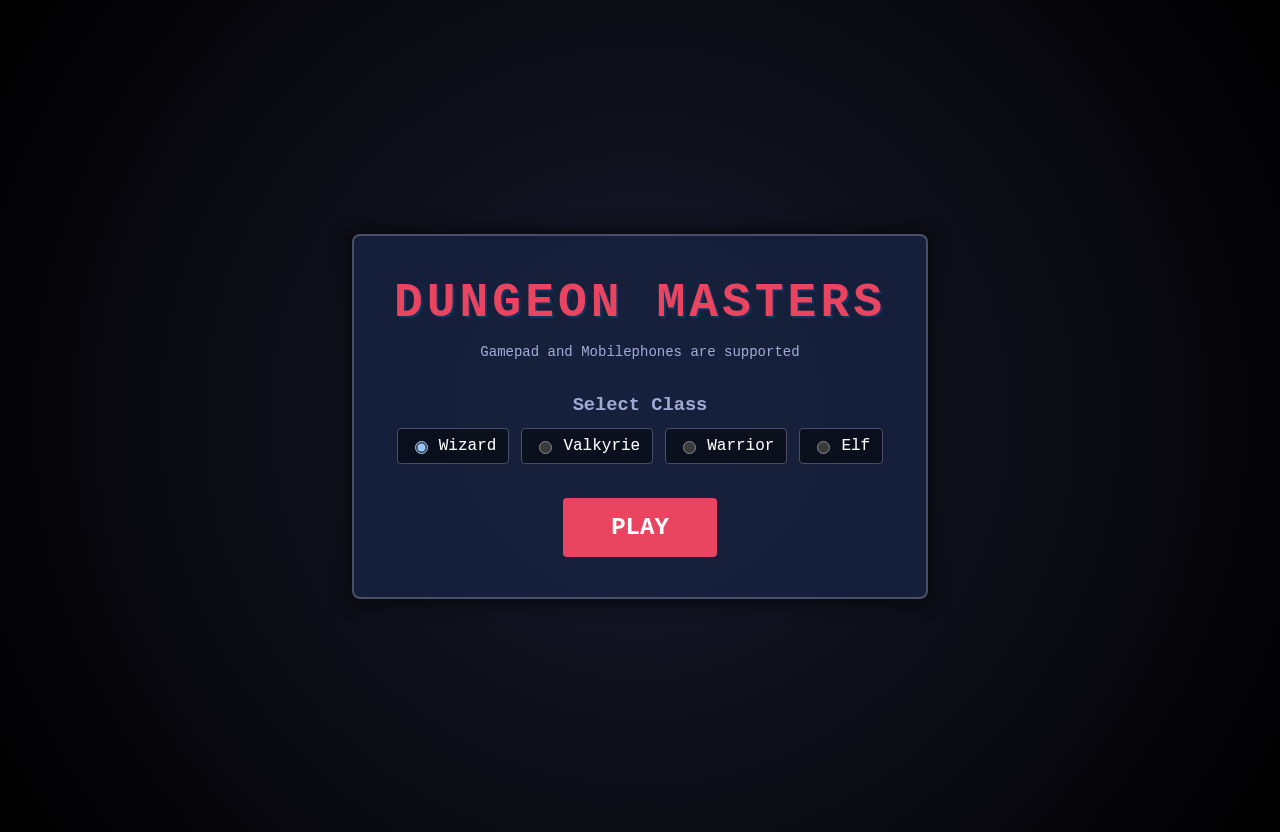
Dungeon reference for short-room objectives, enemy pressure, collectible goals, and a readable result loop.
Prompt focus: room objectives, pickups, enemy pressure
Puzzle-arcade reference for visible objectives, short sessions, score feedback, and repeatable attempts.
Prompt focus: objective clarity, move pressure, score feedback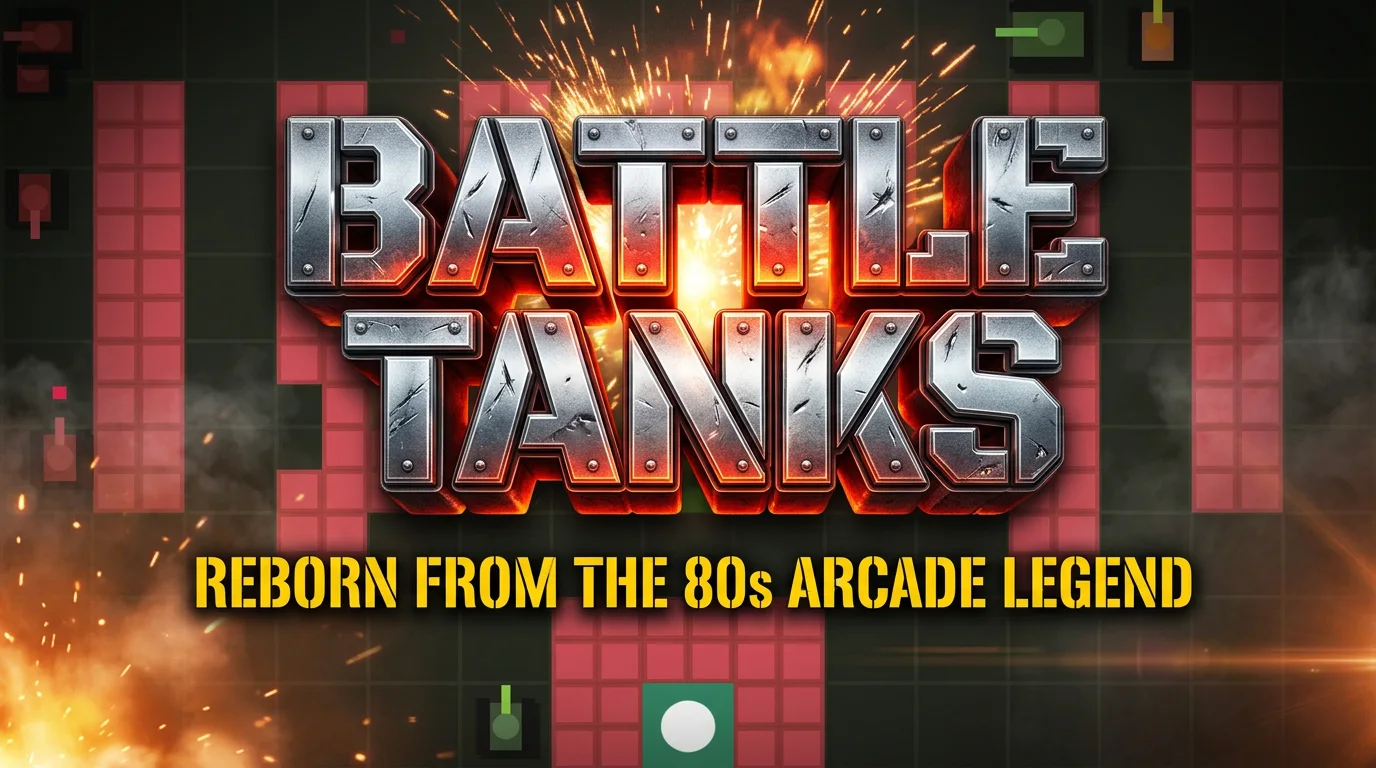
Shooter reference for directional movement, projectile rules, enemy pressure, damage feedback, and arena scoring.
Prompt focus: movement, projectiles, damage, arena score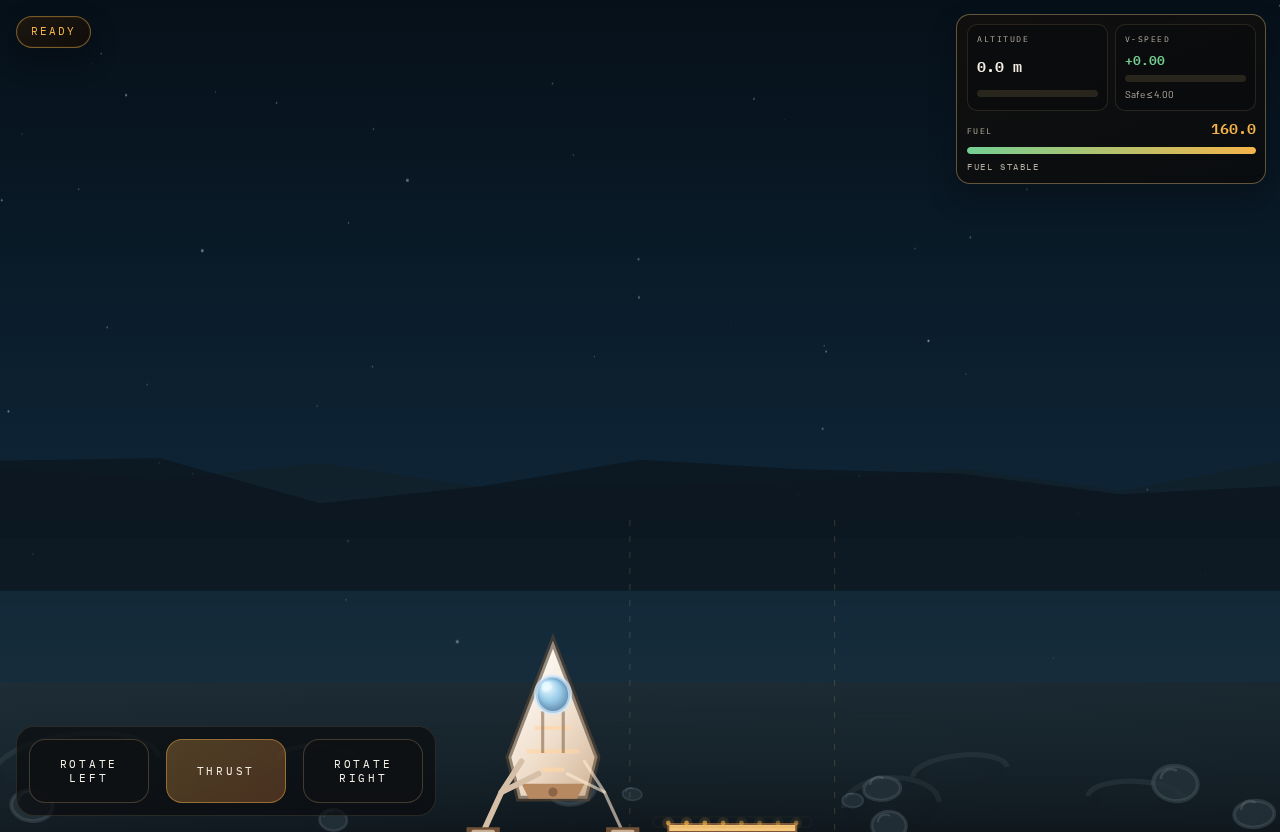
Precision arcade reference for thrust, fuel pressure, crash state, landing score, and replay pacing.
Prompt focus: thrust controls, fuel limit, landing scoreBefore and after prompt refinements
The best prompts describe the player verb, scoring, fail state, feedback, and what should happen after a run ends.
Too vague to generate a playable loop
Before
Make a fun arcade game.
After
Make a one-screen asteroid dodger with arrow-key movement, three hazard speeds, fuel pickups, score combos, collision damage, result screen, restart button, and leaderboard score hook.
The improved prompt names the player verb, hazards, pickups, score events, damage rule, end state, and publishing-ready score behavior.
Theme without testable rules
Before
Make a neon cyber game where the player survives as long as possible.
After
Make a top-down neon survival game where the player moves with WASD, dodges drones, collects battery cells for 100 points, loses one health on collision, survives for 90 seconds, and can restart from a result screen.
The revised prompt turns the theme into measurable mechanics that can be tested within the first minute.
Start with a game loop, not a feature list
The fastest path to a useful AI-created game is one loop the player can learn quickly. Decide what the player does every few seconds, what creates pressure, and how the run ends.
- Loop: jump, dodge, collect, shoot, land, rotate, or defend.
- Pressure: timer, fuel, enemies, hazards, moves, waves, or speed.
- Outcome: score, survival time, level completion, rank, or reward eligibility.
Write the first creator prompt
A good first prompt gives Playworks enough structure to create a draft you can test. Include genre, controls, camera, scoring, hazards, fail state, restart flow, and any public-page expectations.
- Mention browser controls such as arrow keys, WASD, mouse, or touch buttons.
- Ask for HUD text that explains score, health, timer, or objective.
- Ask for clear game-over and restart behavior.
Test before you refine
Play the first draft before writing the next prompt. A useful refinement comes from a real observation, such as jump height, enemy speed, timer pressure, score clarity, or mobile readability.
- Play at least three short runs.
- Write down the first thing that blocked understanding.
- Refine the biggest blocker before requesting more content.
Prepare the public page
A game is easier to share when the public page explains the loop clearly. The title, description, cover art, and leaderboard copy should match what players will experience in the first run.
- Use a title that names the actual game, not the prompt category.
- Describe the objective and controls in player language.
- Check reward and leaderboard language after the score behavior is final.
Tutorial steps
- Choose one genre and one core action.
- Write a first prompt with controls, camera, hazards, scoring, fail state, and restart flow.
- Generate the playable draft and test it like a new player.
- Refine one improvement from playtesting.
- Prepare title, description, cover, leaderboard, and reward settings before publishing.
Mechanics to include
- Name the player objective in one sentence.
- Ask for the game to show controls inside the UI or start screen.
- Use one score rule players can understand immediately.
- Keep level length short until movement feels good.
- Treat publishing as a release step, not the first step.
Common mistakes to avoid
- Trying to create a full franchise in the first prompt.
- Leaving out the fail state because the idea sounds simple.
- Refining the visual style before testing controls.
- Publishing with placeholder metadata.
- Adding leaderboard or reward copy before score rules are clear.
Common failure modes and fixes
When a generated draft feels off, adjust one part of the prompt and run a focused revision.
The draft looks fine but the player does not know what to do.
- Likely cause
- The prompt named a theme but did not name the objective, HUD copy, or first player action.
- Fix prompt
- Add a start screen that says the objective in one sentence, show controls beside the play button, and make the first collectible or target visible within two seconds.
Scoring feels random or hard to compare on a leaderboard.
- Likely cause
- The prompt did not define exactly when score changes or what score is submitted at game over.
- Fix prompt
- Use one visible score value. Add 10 points for each pickup, 50 points for each clean objective, subtract no hidden points, and submit the final score only after the result screen appears.
Players cannot replay quickly after losing.
- Likely cause
- The first prompt skipped the fail state and restart behavior.
- Fix prompt
- When the player fails, pause movement, show final score, explain the cause, and add a restart button that resets position, score, timer, enemies, and pickups.
Next actions
Related tutorials
Walk through prompt writing, first-draft testing, refinement, and publishing preparation.
Review browser-first controls, game loops, public pages, and player expectations.
Prepare title, description, preview, validation, and release checks before publishing.
Related paths
Use a platformer-specific prompt path.
Follow a deeper step-by-step workflow.
Review the broader creator and publishing path.
Create from plain-language prompts.
Pick a proven game shape before starting.
Inspect public games before publishing your own.