
Start with a concrete game idea and the controls, style, and scoring you want.
PlayWorks creator stack
AI browser game templates
Choose a focused game shape, inspect the prompt, play a public example, then create a similar browser game in the Playworks creator workflow.
Template promptsPlayable examplesRelated tutorials
Build loop
Move from idea to playable browser build without leaving the creator flow.
Describe the game you want and generate a playable draft.
Publish with leaderboard and reward settings when the build is ready.
Prompt starting point
Create a polished Snake game with arrow-key controls, growing length, collision rules, score UI, restart flow, and a GalaChain-ready leaderboard hook.
Choose what you need next
Use the page as a short path instead of reading every section in order.
Prompt examples by genre
Copy a complete starter prompt, then change the controls, theme, scoring rule, or win condition.
Snake template
Growth loop
Make a Snake game with arrow-key controls, growing length, food pickups, wall collision, self collision, score UI, speed ramp, result screen, restart button, and a final score.
Reference: GalaSnake
Shooter template
Wave loop
Make a space shooter with WASD movement, spacebar shooting, three enemy wave types, health, score combos, boss wave timer, result screen, restart button, and a leaderboard-ready score.
Reference: Nova Swarm
Platformer template
Jump and goal loop
Make a short platformer with left-right movement, jump, platforms, coins, one enemy, a goal flag, timer bonus, result screen, restart button, and final score.
Reference: Dungeon Masters
Endless runner template
Distance loop
Make an endless runner with jump controls, obstacles, pickups, distance score, speed ramp, collision fail state, result screen, restart button, and large mobile-readable HUD text.
Reference: Armor Plated
Tower defense template
Wave and upgrade loop
Make a tower defense game with one lane, three tower types, ten enemy waves, lives, coins, upgrade buttons, survival score, result screen, restart button, and clear wave labels.
Reference: Fortress Fall: Survival
Puzzle template
Move-limited loop
Make a puzzle game with a 6 by 6 board, target pieces, 20 moves, combo feedback, visible objective, score UI, win state, loss state, result screen, and restart button.
Reference: Diamond Breaker
Published Playworks examples
Play a live example here, then use the public game pages as references for prompt scope, readable HUDs, scoring, and restart loops.
Classic score-loop reference for clear controls, growth, collision, pickups, and a fast restart.
Prompt focus: arrow-key movement, pickups, collision rules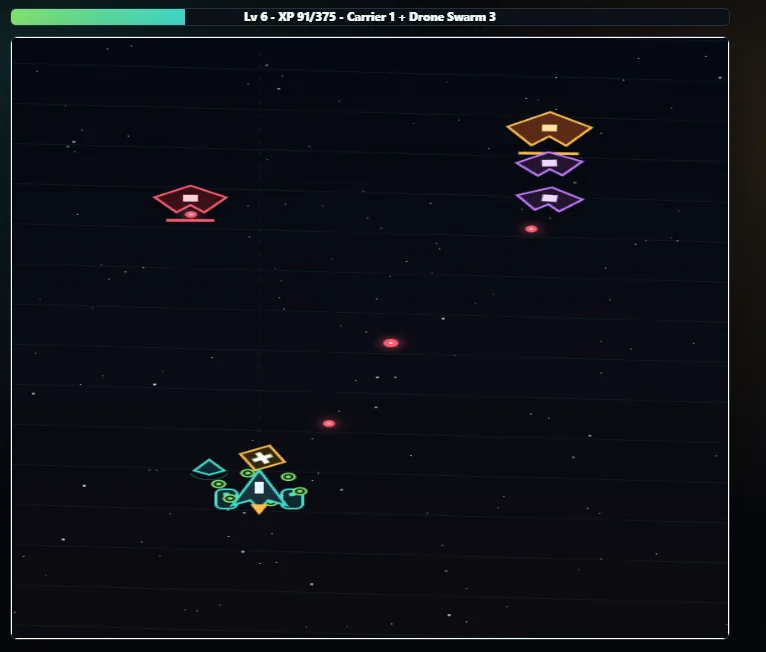
Shooter reference for waves, projectile timing, readable HUD states, fixed scoring, and replay testing.
Prompt focus: enemy waves, cooldowns, health, score hook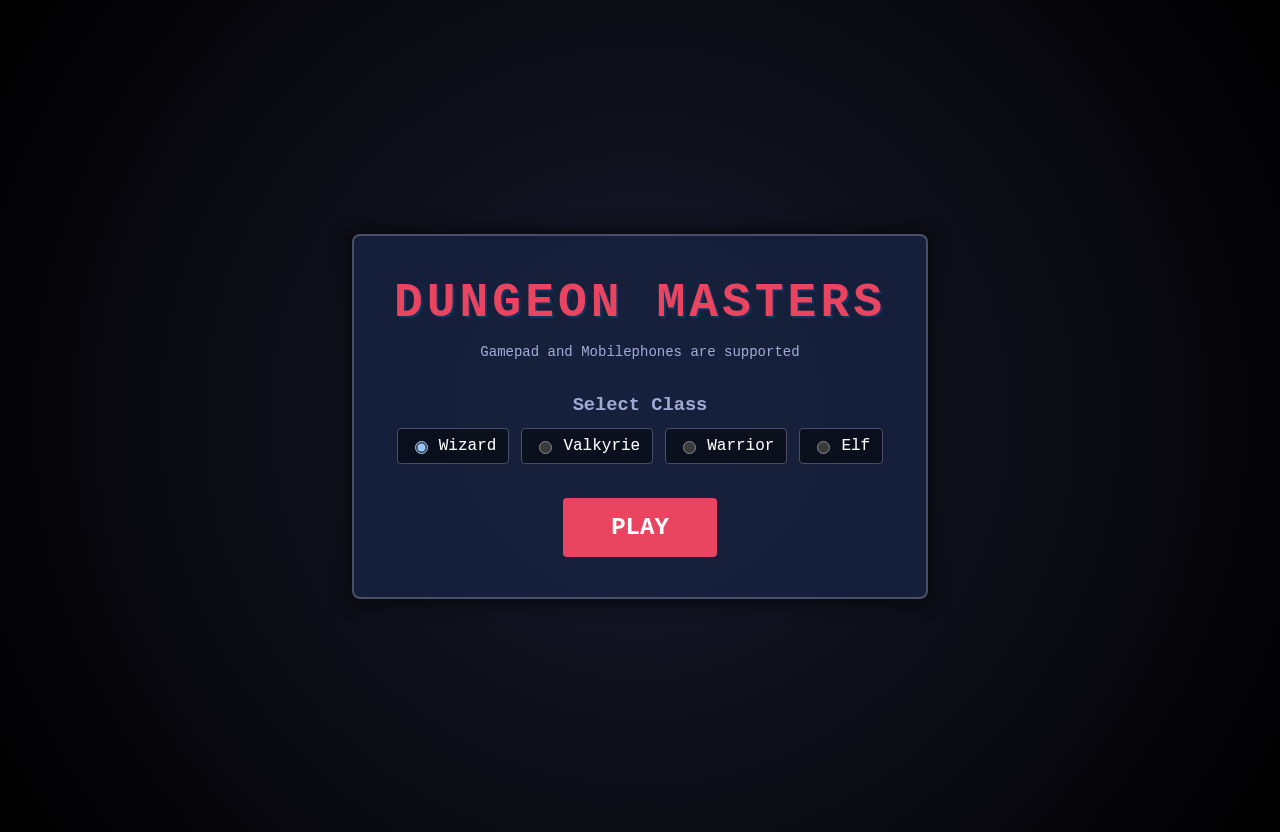
Dungeon reference for short-room objectives, enemy pressure, collectible goals, and a readable result loop.
Prompt focus: room objectives, pickups, enemy pressure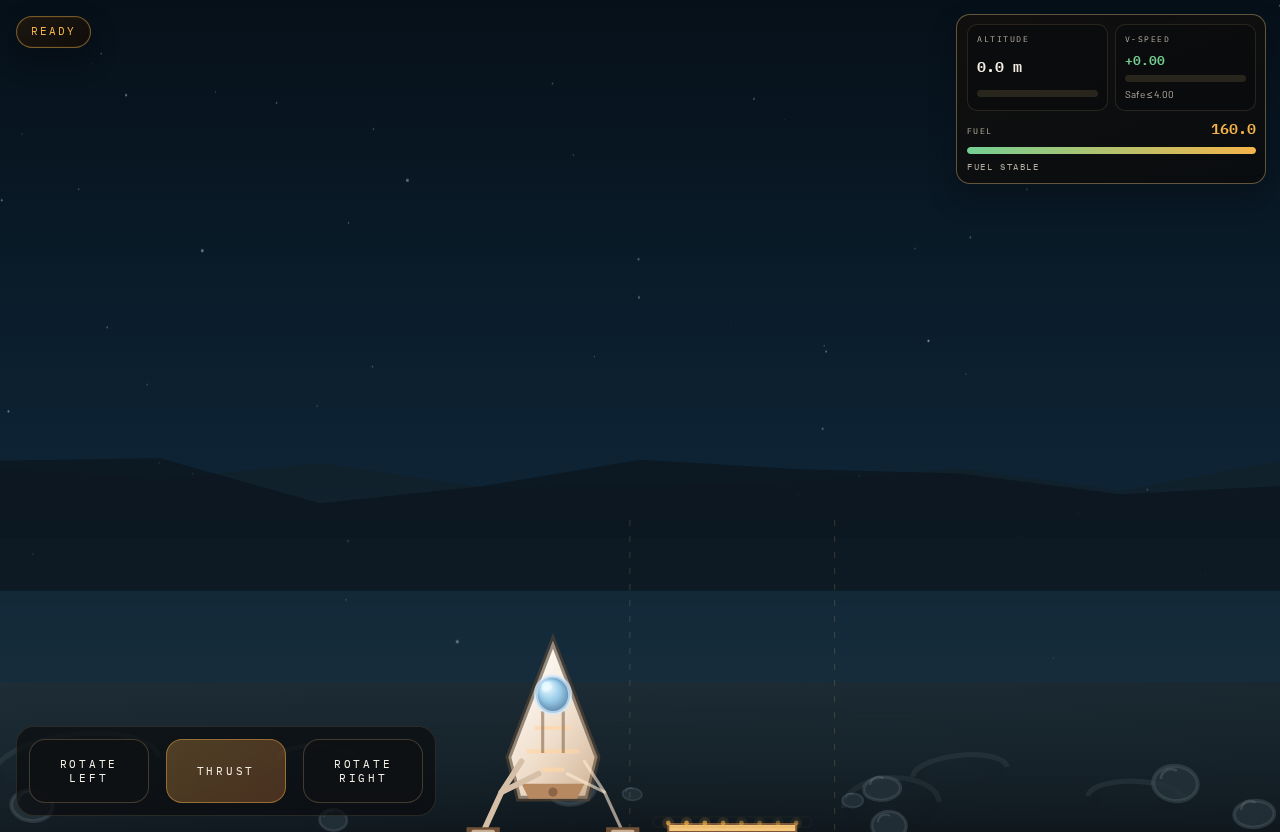
Precision arcade reference for thrust, fuel pressure, crash state, landing score, and replay pacing.
Prompt focus: thrust controls, fuel limit, landing score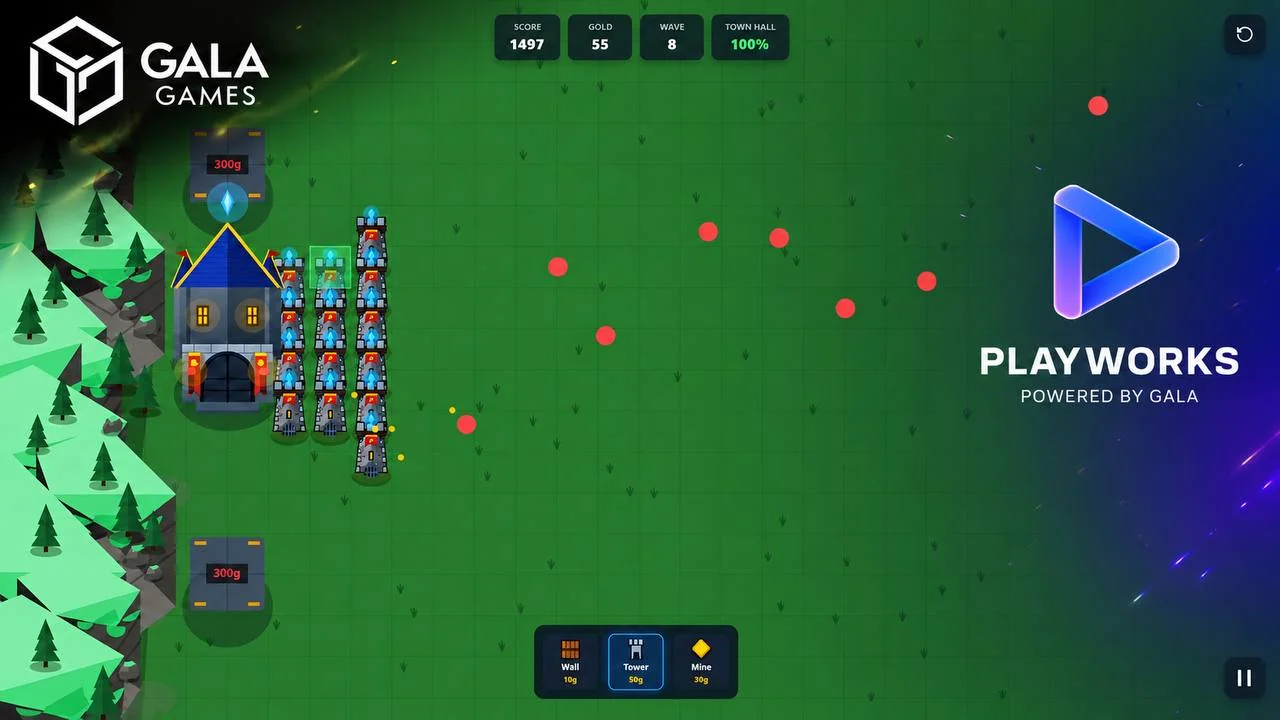
Defense reference for wave pacing, upgrade decisions, survival scoring, and clear pressure over time.
Prompt focus: waves, upgrades, survival timer, score
Puzzle-arcade reference for visible objectives, short sessions, score feedback, and repeatable attempts.
Prompt focus: objective clarity, move pressure, score feedbackBefore and after prompt refinements
The best prompts describe the player verb, scoring, fail state, feedback, and what should happen after a run ends.
Template prompt has genre but no scoring pressure
Before
Make a space shooter template.
After
Make a space shooter with WASD movement, spacebar shooting, three enemy wave types, health, 10 points per enemy, 100 points per wave clear, boss wave after 90 seconds, result screen, and restart button.
The improved version defines wave pacing, scoring, health, end-state behavior, and a clear boss milestone.
Template prompt asks for too many mechanics at once
Before
Make a tower defense game with cards, crafting, loot, bosses, multiplayer, and rewards.
After
Make a one-lane tower defense game with three tower types, ten enemy waves, upgrade buttons, lives, survival score, result screen, and restart button. Leave cards and rewards for later prompts.
The prompt protects the first draft by keeping the loop testable before adding advanced systems.
Use templates to avoid the blank prompt
A template gives the AI a proven game shape. Instead of starting from a vague idea, choose a loop with known controls, score rules, hazards, and common mistakes.
- Snake: growth, collision, pickups, speed, restart.
- Shooter: movement, waves, projectiles, health, score combos.
- Platformer: jump timing, hazards, collectibles, goal, timer.
Template selection matrix
Pick the template by what you want the player to repeat, not by visual theme. Theme can change later; the loop should be clear first.
- Fastest first draft: Snake, endless runner, or arcade lander.
- Best for score pressure: shooter, runner, tower defense, or survival arcade.
- Best for careful decisions: puzzle, tower defense, or move-limited challenge.
Prompt starters by genre
Each template page should start with controls, scoring, pressure, and restart flow. Add theme and art direction after the core mechanics are in place.
- Make a Snake game with arrow-key controls, growing length, food pickups, wall collision, self collision, score UI, and restart flow.
- Make a space shooter with WASD movement, spacebar shooting, waves, health, score combos, and a boss wave timer.
- Make a puzzle game with move limits, visible objectives, score feedback, and a results screen.
Move from template to public game
After generation, compare the draft to a public example, test the first run, then prepare title, description, cover art, leaderboard behavior, and reward copy if needed.
- Use playable examples for pacing and UI clarity.
- Use tutorials for template-specific mechanics and mistakes.
- Use the creator workspace when the prompt is ready to test.
Tutorial steps
- Pick a template by core player action: dodge, collect, shoot, jump, solve, or defend.
- Open a public example and note controls, scoring, and restart behavior.
- Use the prompt starter as a base, then change theme, hazards, or scoring details.
- Create a project and test the first draft in the browser.
- Refine one issue, then prepare the public game page and leaderboard settings.
Mechanics to include
- Choose one template per first draft.
- Keep theme separate from mechanics in the prompt.
- Use score rules that match the genre.
- Ask for restart and result screens in every template.
- Compare with public examples before publishing.
- Add reward language only after the scoring loop is reliable.
Common mistakes to avoid
- Picking a template by art style instead of player action.
- Combining several templates in one prompt.
- Removing the fail state because the game is simple.
- Skipping the public example before creating.
- Publishing with template copy that no longer matches the generated game.
- Adding rewards before players understand scoring.
Common failure modes and fixes
When a generated draft feels off, adjust one part of the prompt and run a focused revision.
The template prompt produces a generic game with weak mechanics.
- Likely cause
- The prompt copied the genre name but skipped the repeated player action.
- Fix prompt
- Name the repeated action first: grow the snake, dodge and shoot waves, jump over gaps, place towers, solve a board, or run for distance.
The theme fights the template.
- Likely cause
- The visual idea requires mechanics the chosen template does not support yet.
- Fix prompt
- Keep the template loop intact and change only art labels first. Add new mechanics after controls, scoring, fail state, and restart are reliable.
The public example does not match the game you want to make.
- Likely cause
- The reference was picked by theme instead of loop, input style, or scoring pressure.
- Fix prompt
- Choose the reference by mechanic. Use Snake for growth, Nova Swarm or Battle Tanks for shooting, Diamond Breaker for puzzle pressure, and Fortress Fall for waves.
Next actions
Related tutorials
Use the general AI workflow before choosing template-specific mechanics.
Follow a template-specific walkthrough for growth, collision, and scoring.
Build a shooter prompt with movement, waves, projectiles, and score hooks.
Prompt jump physics, hazards, collectibles, and goal states.
Related paths
Classic growth, pickups, collision, and score pressure.
Movement, projectiles, waves, and health.
Jump controls, hazards, collectibles, and goal states.
Distance scoring, speed ramp, obstacles, and pickups.
Waves, placement decisions, upgrades, and survival pacing.
Move limits, objectives, feedback, and result screens.
Use the general tutorial before creating.
Open the main AI game maker hub before moving from a template to a browser game draft.
Open public Playworks examples.